Made in Bangladesh, for local businesses

Simple software to run your business.

Sales, stock, dues and bills in one place. In Bangla and English.

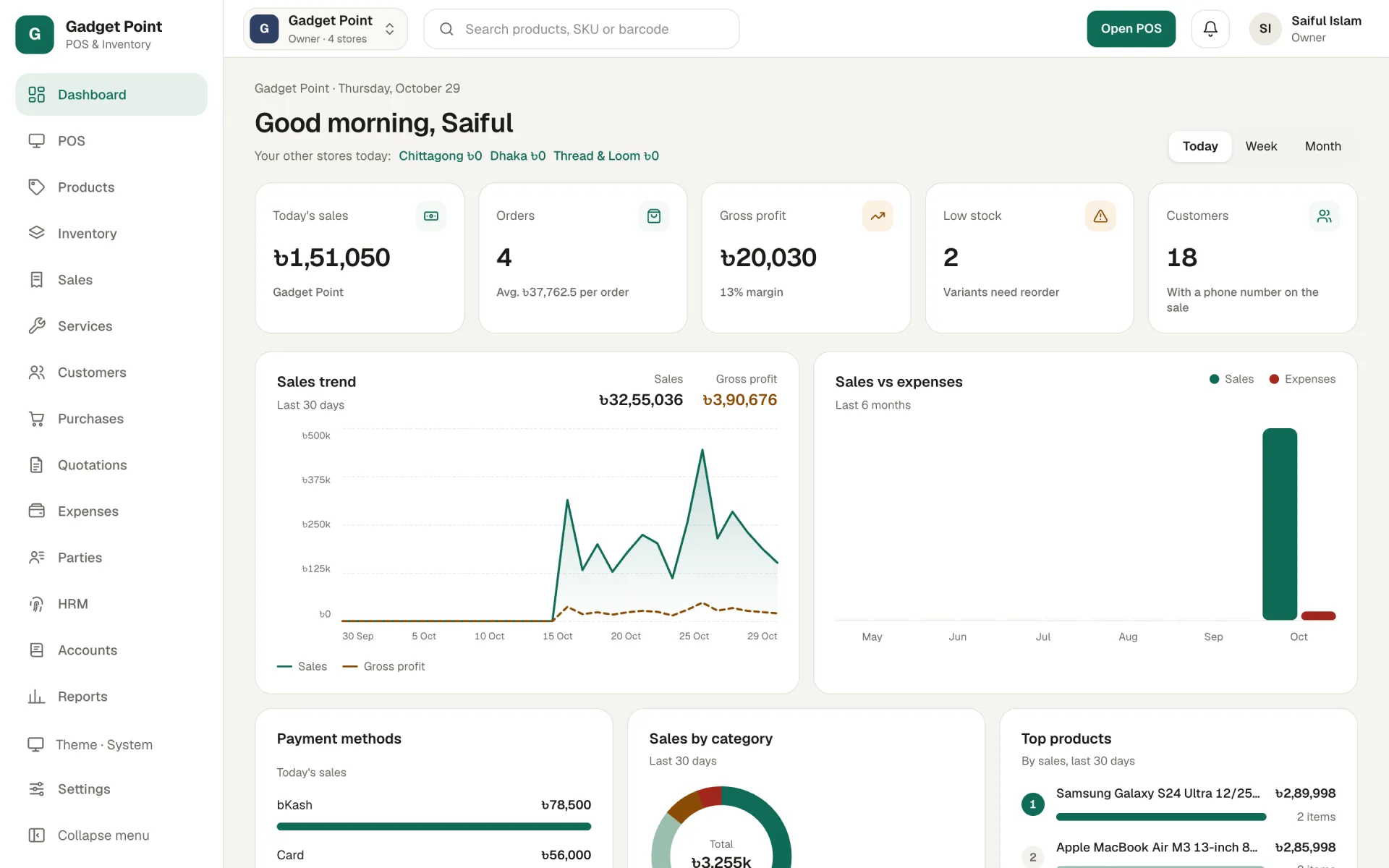
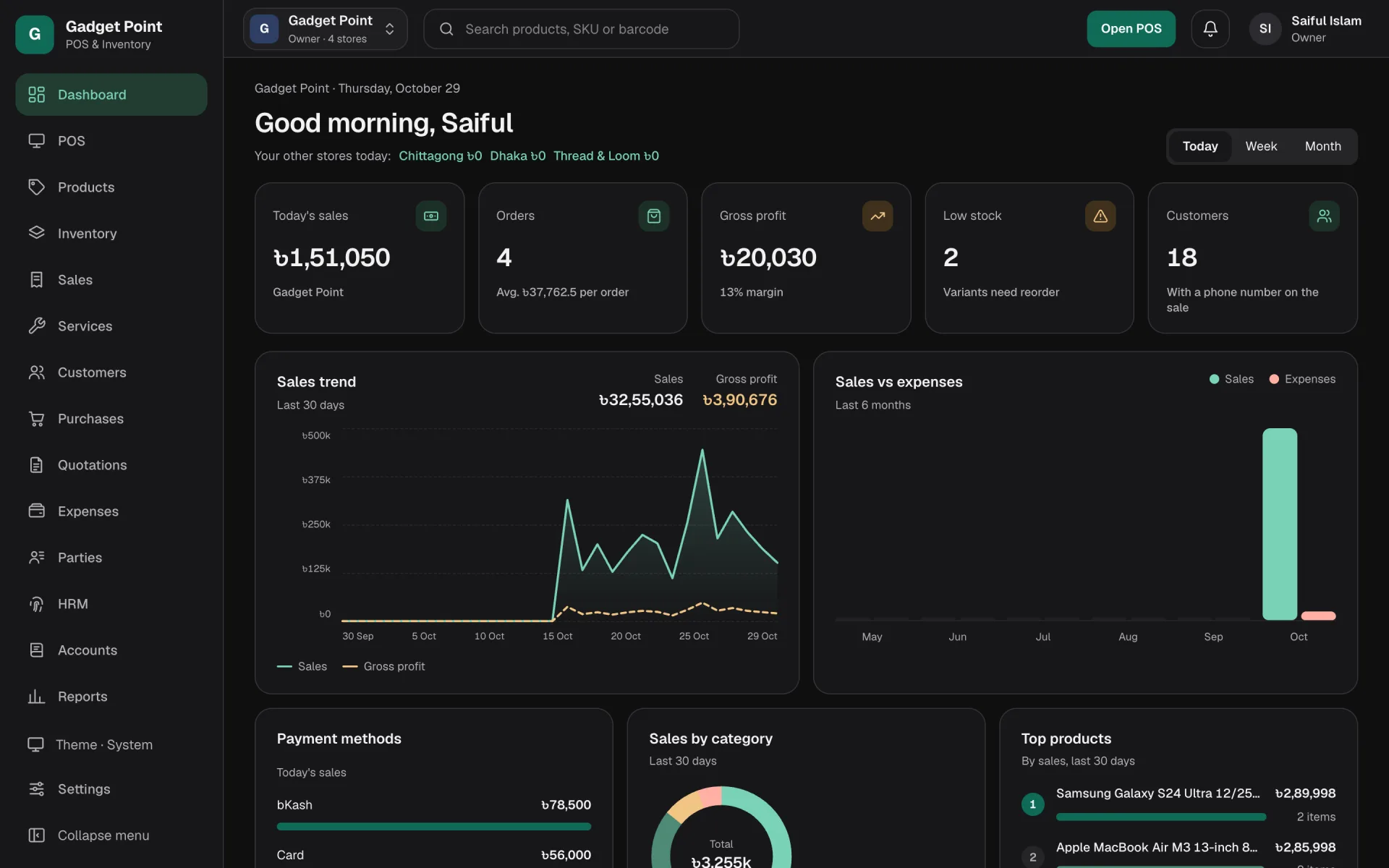
PosCaptain dashboard with sales, profit and low stock

Businesses we serve

  • Grocery
  • Clothing
  • Shoes
  • Electronics
  • Mobile shop
  • Hardware
  • Cosmetics
  • Pharmacy
Products

Made for your kind of business

PosCaptain is ready for shops today. PharmaCaptain for pharmacies is coming soon.

Available now

PosCaptain

For shops

Sell faster, track stock, know your profit.

Learn more
PosCaptain dashboard with sales, profit and low stock
Coming soon

PharmaCaptain

For pharmacies

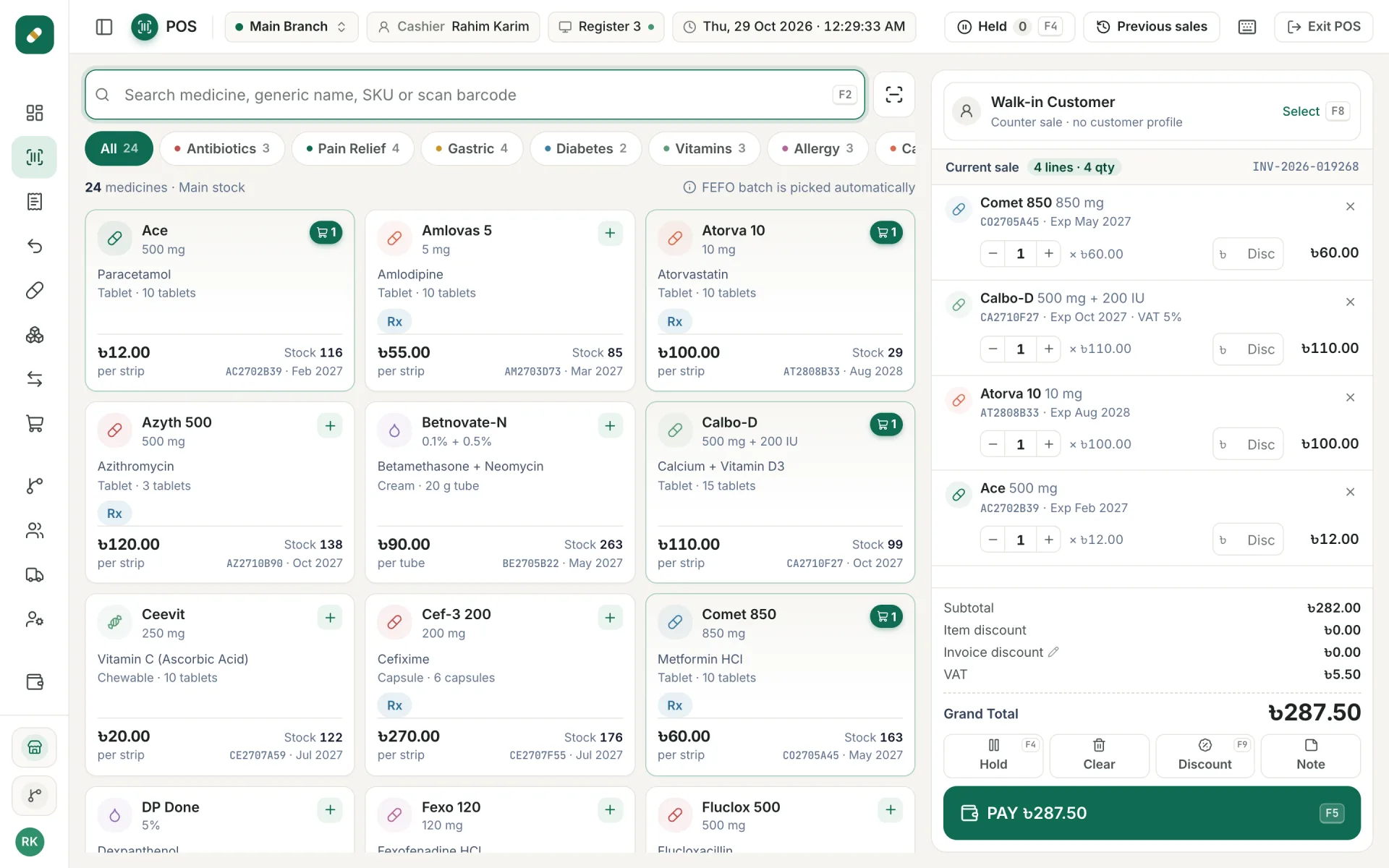
Track every batch and expiry date. Sell the oldest stock first.

Learn more
  • Sell with batch and expiry
  • Batch-wise stock
  • Customers and dues
  • Branches and transfers

Why SoftCaptain

  • Bangla and English

    Use the software in the language you are comfortable with.

  • Phone and computer

    It runs in the web browser on your phone, tablet or computer.

  • Local support

    Email our team in Dhaka when you need help. We answer in Bangla and English.

  • Pay monthly online

    Get an invoice every month and pay online. No big upfront cost.

One dashboard

See your whole shop on one screen

Today's sales, profit, dues and stock are on the dashboard the moment you sign in. No adding up the books at night.

  • Sales and profit for today, this week or this month
  • A warning when stock runs low
  • A separate login for every staff member
PosCaptain dashboard with sales, profit and low stock

Cash, card, bKash or Nagad

Take payment the way your customer wants. You can even split one bill across two methods.

Product tour

Real screens from our software

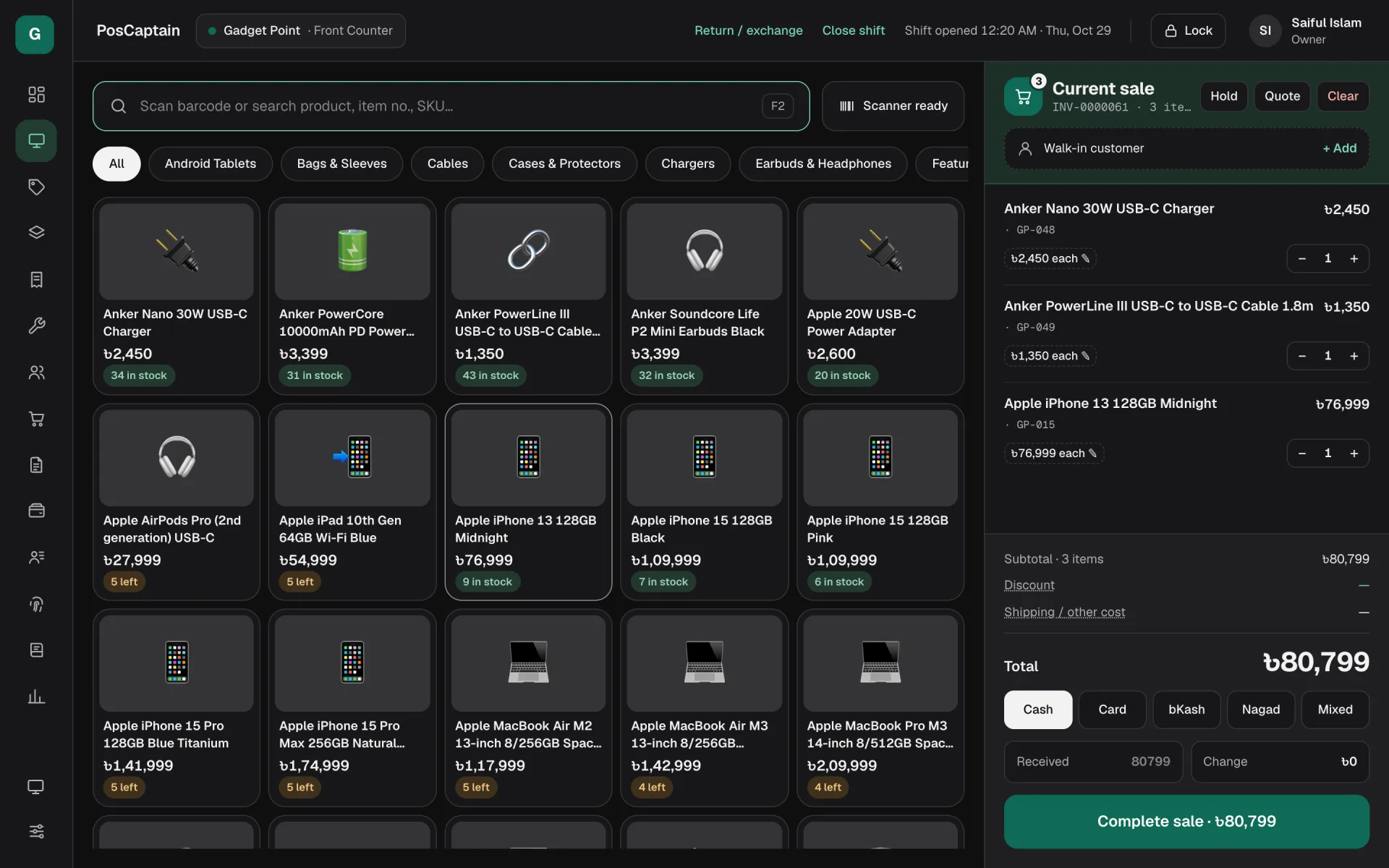
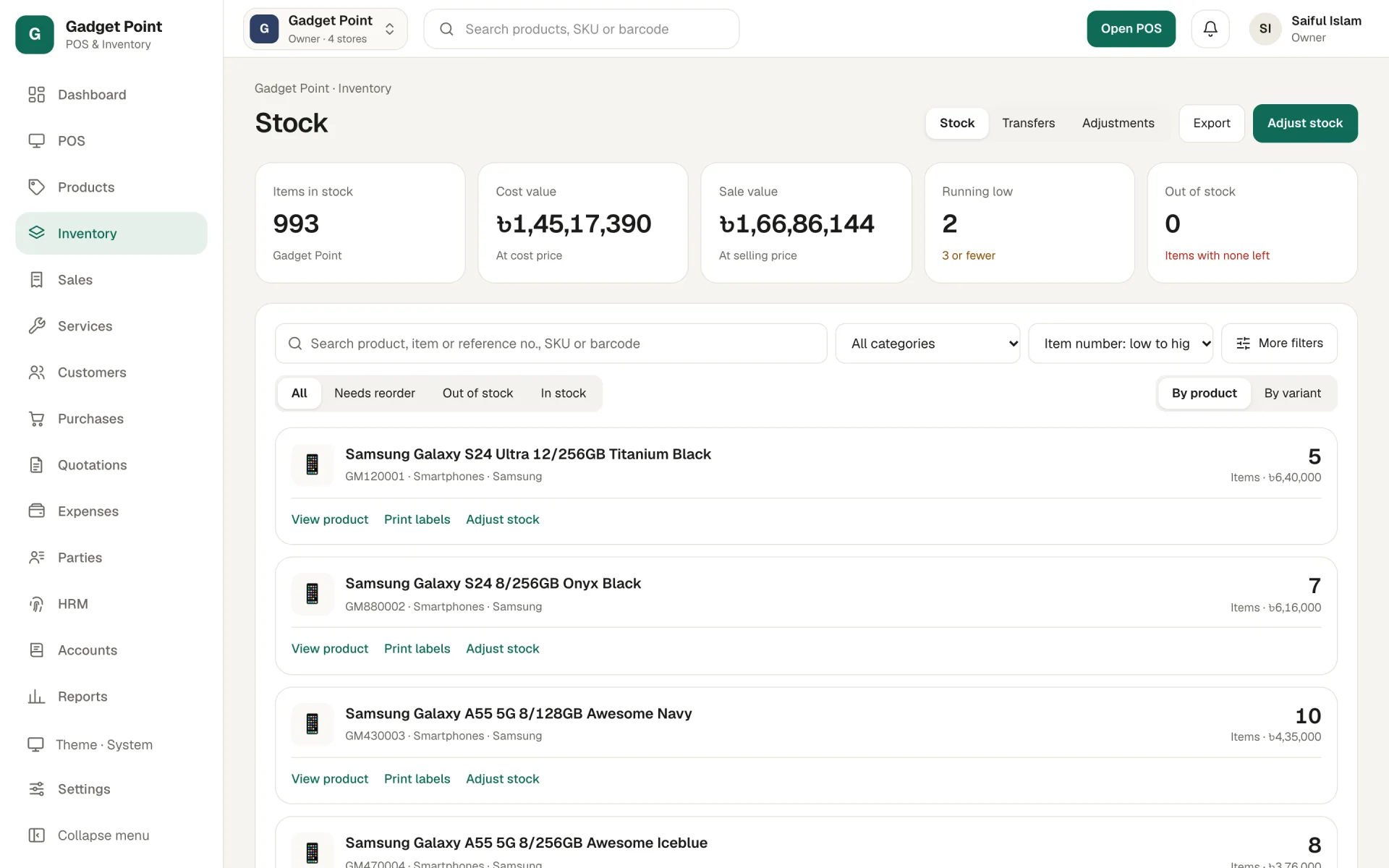
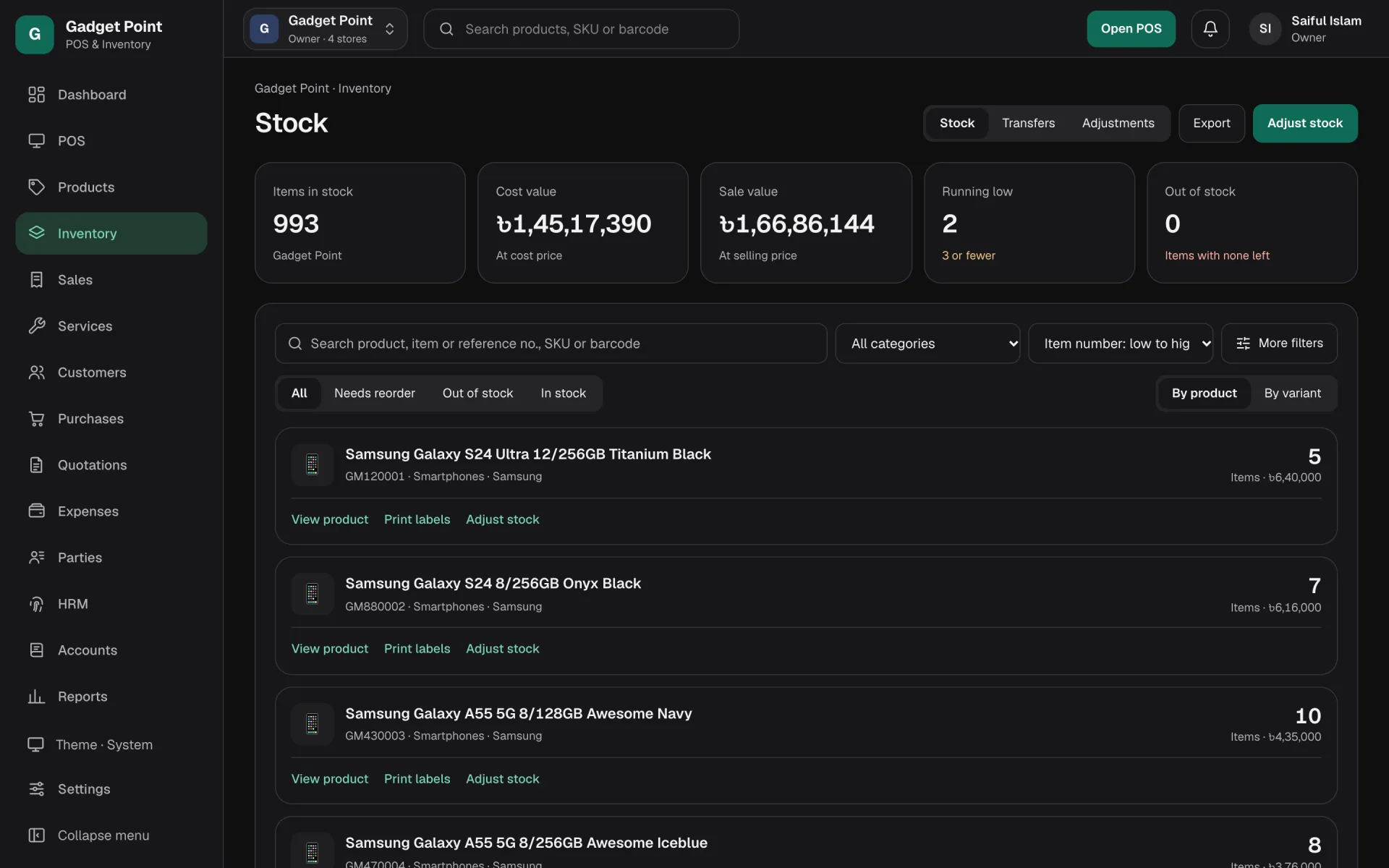
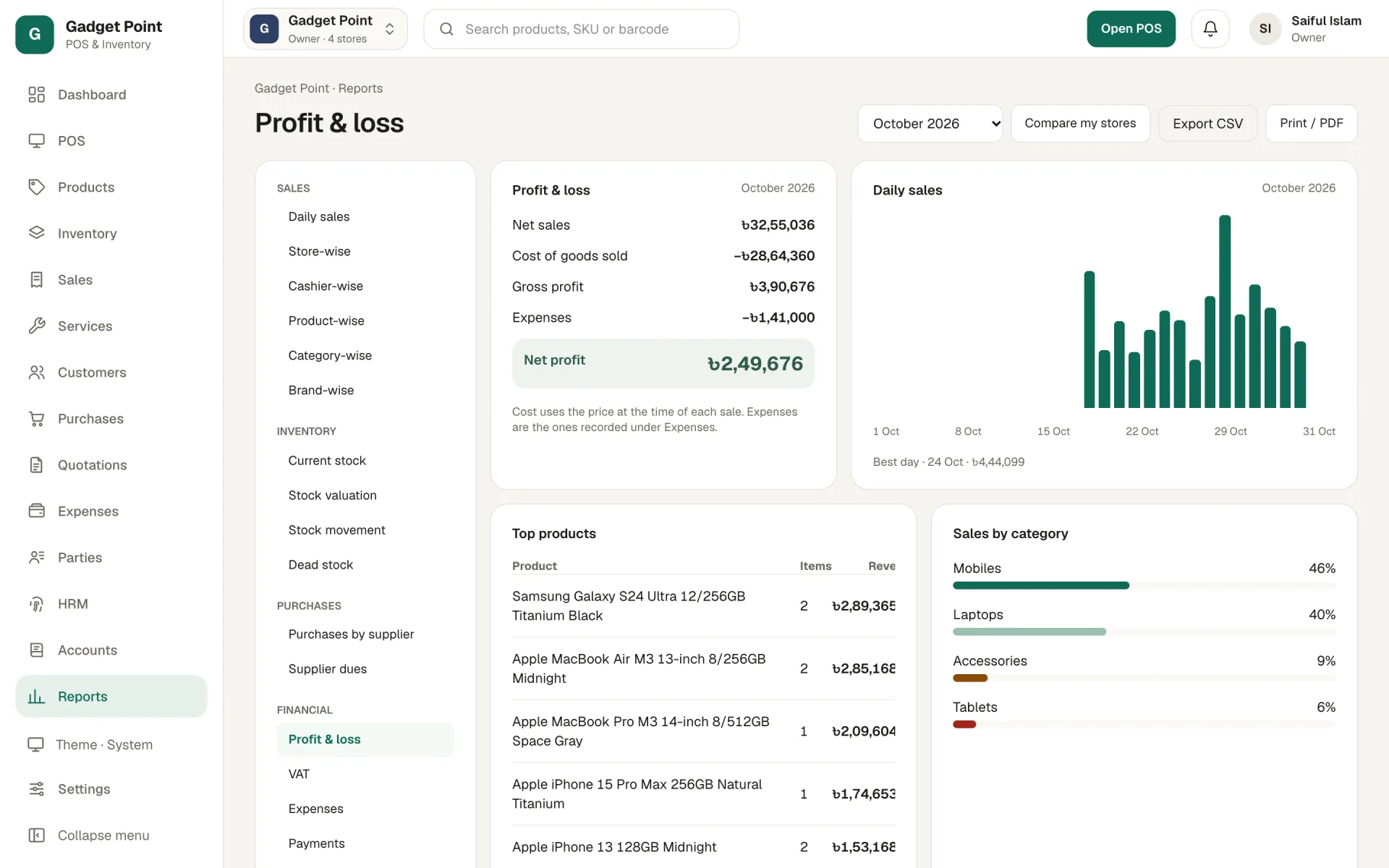
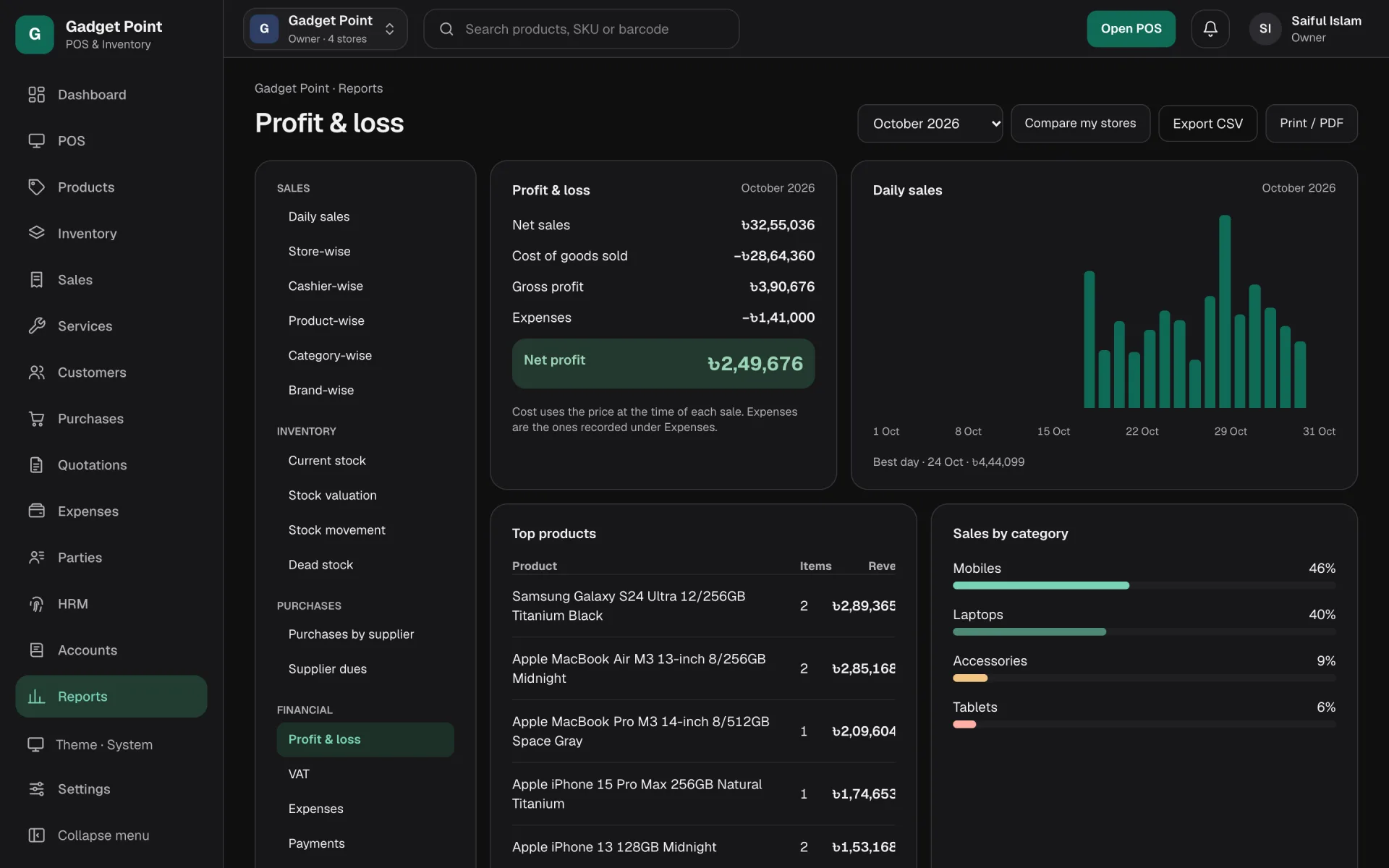
Screenshots of PosCaptain with demo data, plus a first look at PharmaCaptain.
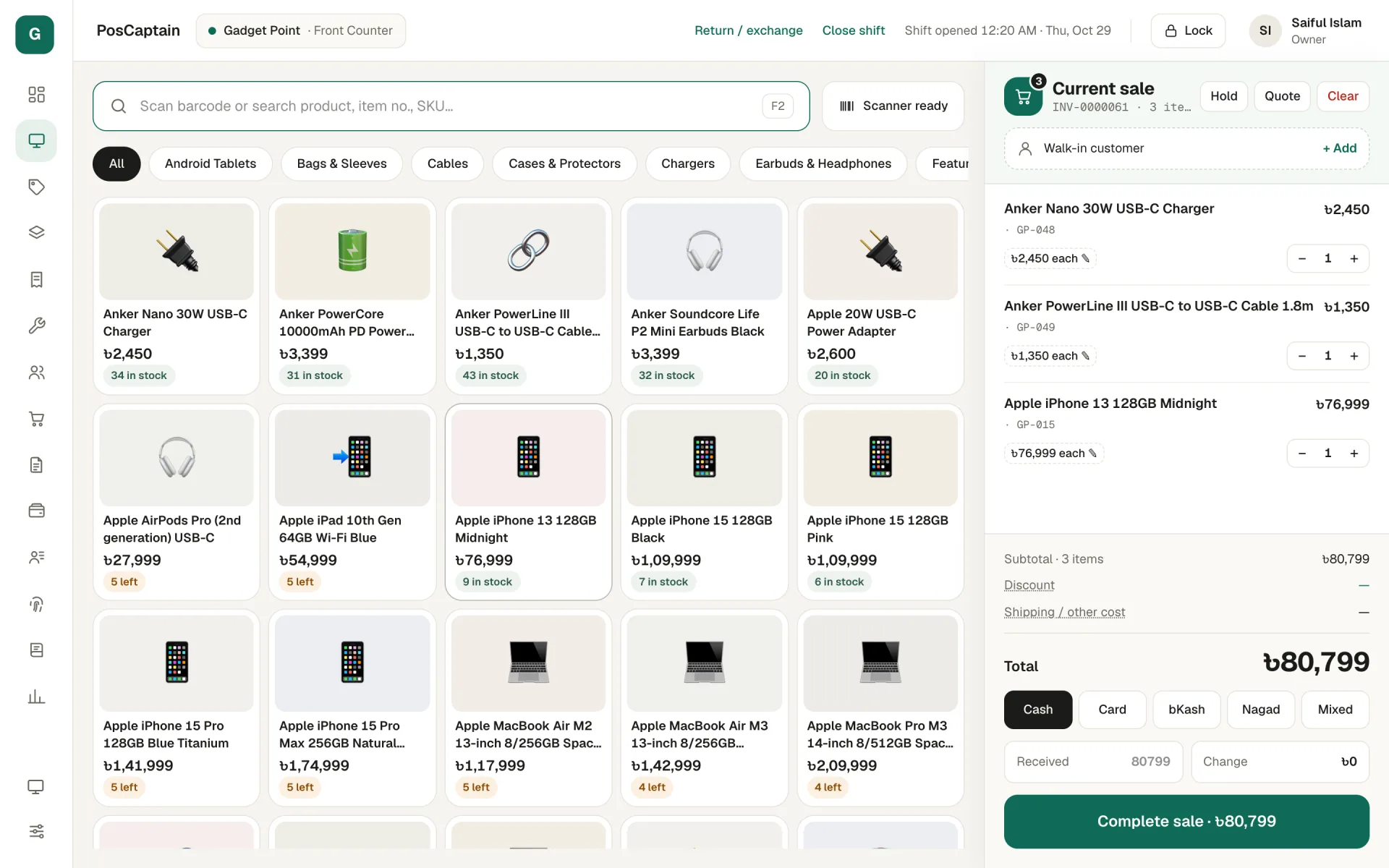
PosCaptain sale screen with items in the cart
Features

Everything a shop needs every day

PosCaptain covers the counter, the stock room and the accounts book.

  • Sell at the counter

    Quick sale screen. Scan barcodes to add items. Print a receipt for every sale. Returns and exchanges.

  • Stock

    See stock for every item. Sizes and colors. Low stock alerts. Print barcode labels.

  • Buying

    Record purchases. Keep a supplier list. Purchase returns.

  • Customers and dues

    Customer list with phone numbers. Track who owes you money. Import customers from a file.

  • Expenses and accounts

    Daily expenses. Parties you pay or receive from. Simple accounting.

  • Reports

    Sales and profit. Stock reports. Expense reports.

  • Staff and permissions

    Separate login for each staff member. Roles like cashier, manager and accountant. Choose what each person can see.

  • More than one shop

    Run several shops from one account. Each shop keeps its own stock and sales.

  • Bangla and English

    Use the software in Bangla or English. Switch language any time.

How it works

We set everything up with you, step by step.

  1. 01

    Request a demo

    Tell us about your shop in a short form. It takes two minutes.

  2. 02

    We set up your shop

    We create your account and add your products.

  3. 03

    We train your staff

    We show your team how to sell and check stock.

  4. 04

    Start selling

    Open the software and make your first sale.

Pricing

Plans that fit a small shop

Affordable monthly plans. Ask for a quote.

See pricing
  • Monthly or yearly plans
  • Pay online with card, bKash, Nagad or Rocket
  • An invoice and receipt for every payment
Common questions

Questions shop owners ask

Short answers to what shop owners ask us most.

Still have a question?

Email us or send the form. We answer in Bangla and English during support hours.

Contact us
Do I need internet?
Yes. Our software runs in the web browser, so it needs an internet connection. Wi-Fi or mobile data both work.
Can I use it on my phone?
Yes. Open it in the browser on your phone. For a busy counter, a computer or tablet with a bigger screen is easier.
Can my staff have separate logins?
Yes. Every staff member gets their own login. You choose what each person can see and do.
How do I pay?
You get an invoice inside the software. Click Pay and pay online through SSLCommerz with a card, bKash, Nagad, Rocket or internet banking.
Can you move my old data?
We can import your product and customer lists from Excel. Tell us what other data you have and we will check what we can bring over.

See PosCaptain with your own shop in mind

Request a free demo and we will walk you through sales, stock and dues. Have a question first? Contact us.