 Coming soon
PharmaCaptain
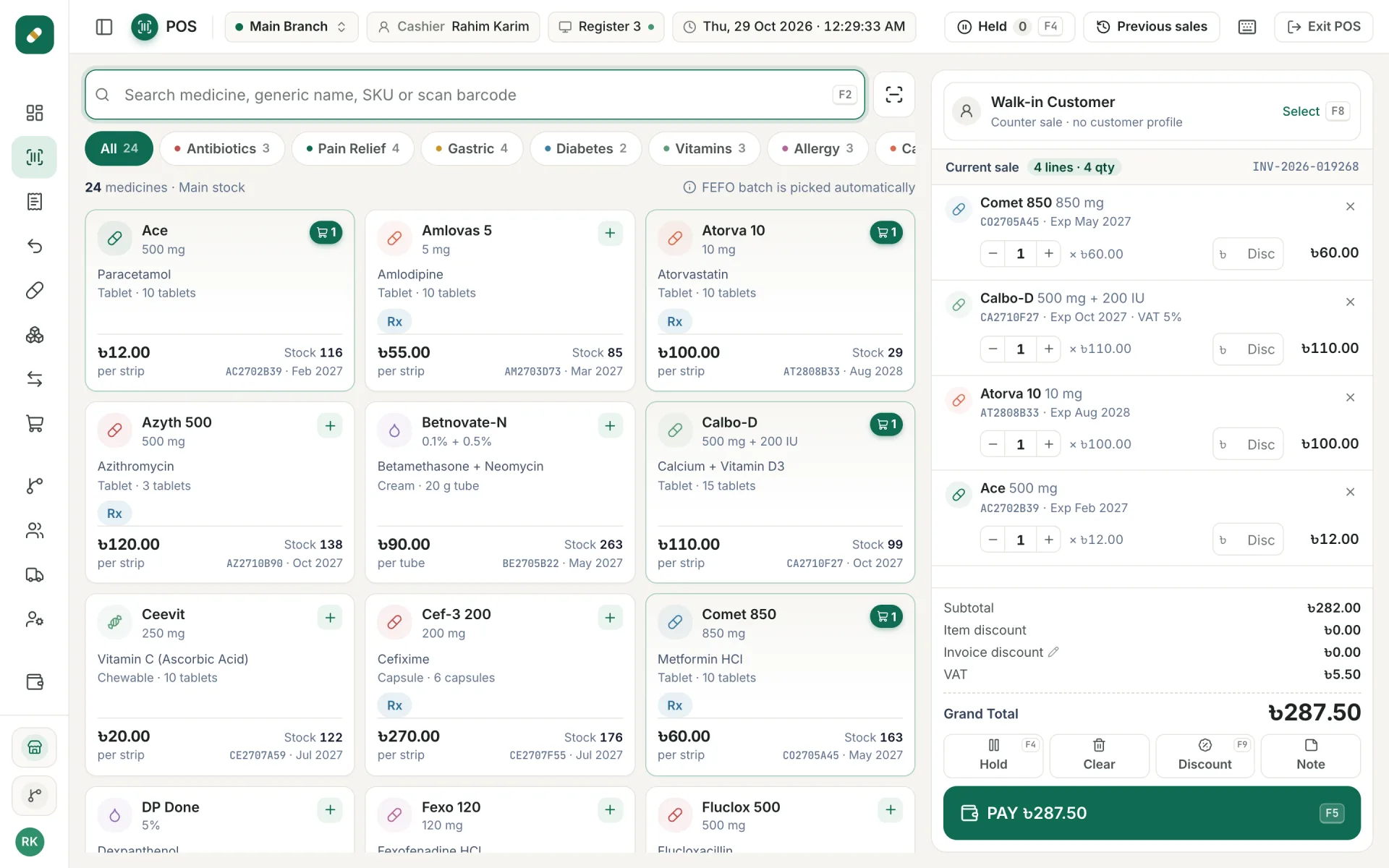
Track every batch and expiry date. Sell the oldest stock first.
Pharmacy software that tracks every batch and expiry date, sells the oldest stock first, and keeps your dues in order.
Who it is for
- Retail pharmacy
- Pharmacy with branches
- Medicine wholesale counter
PharmaCaptain
What it will do
Sell with batch and expiry
- Sale screen picks the batch that expires first (FEFO)
- Print a receipt for every sale
- Customer returns
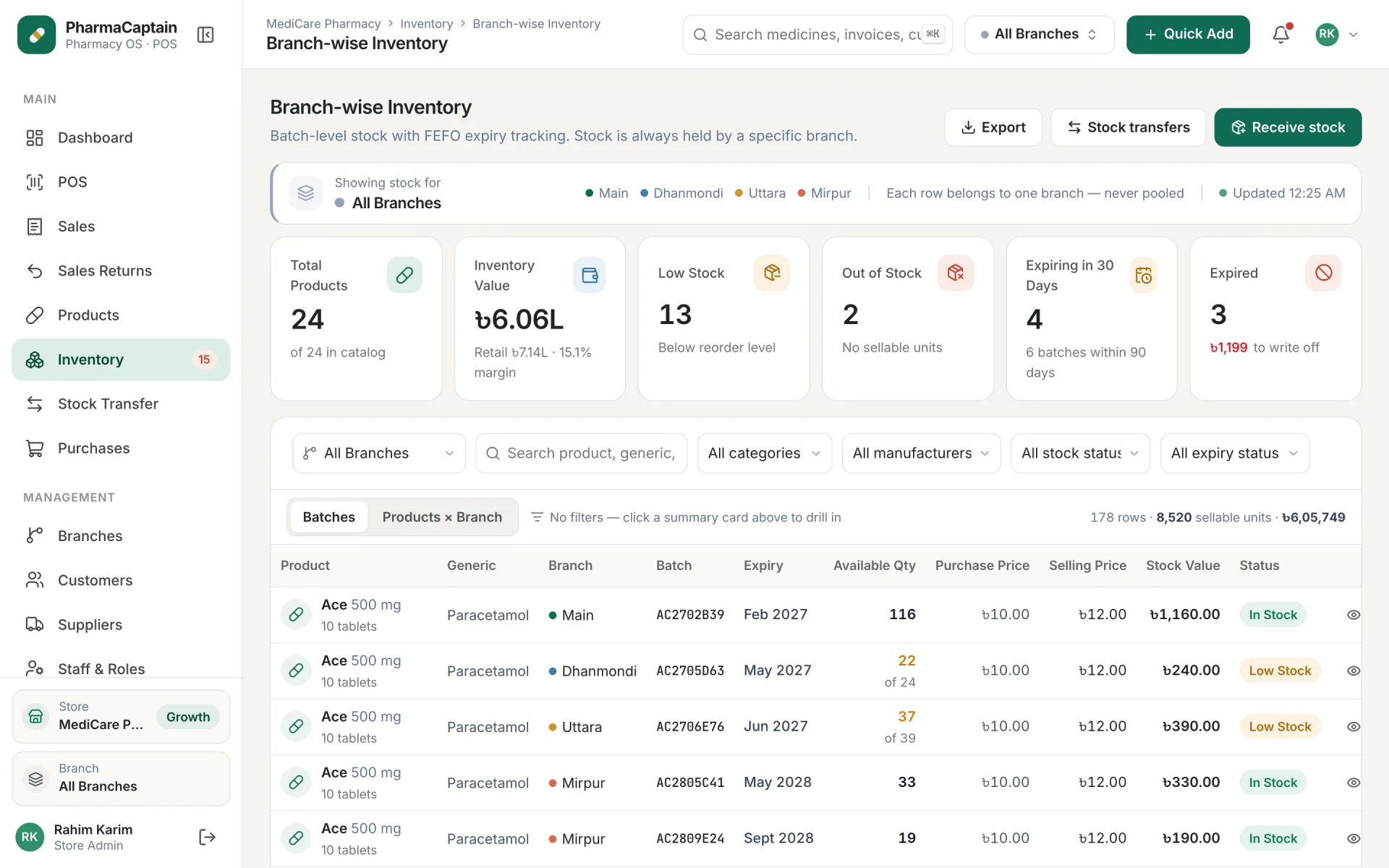
Batch-wise stock
- Stock for every batch
- Expiry alerts
- Low stock alerts
Customers and dues
- Customer list
- Track dues and payments
Branches and transfers
- Run more than one branch
- Move stock between branches
Purchases and suppliers
- Record purchases by batch
- Supplier list and payments
Expenses
- Record daily expenses
- See where money goes
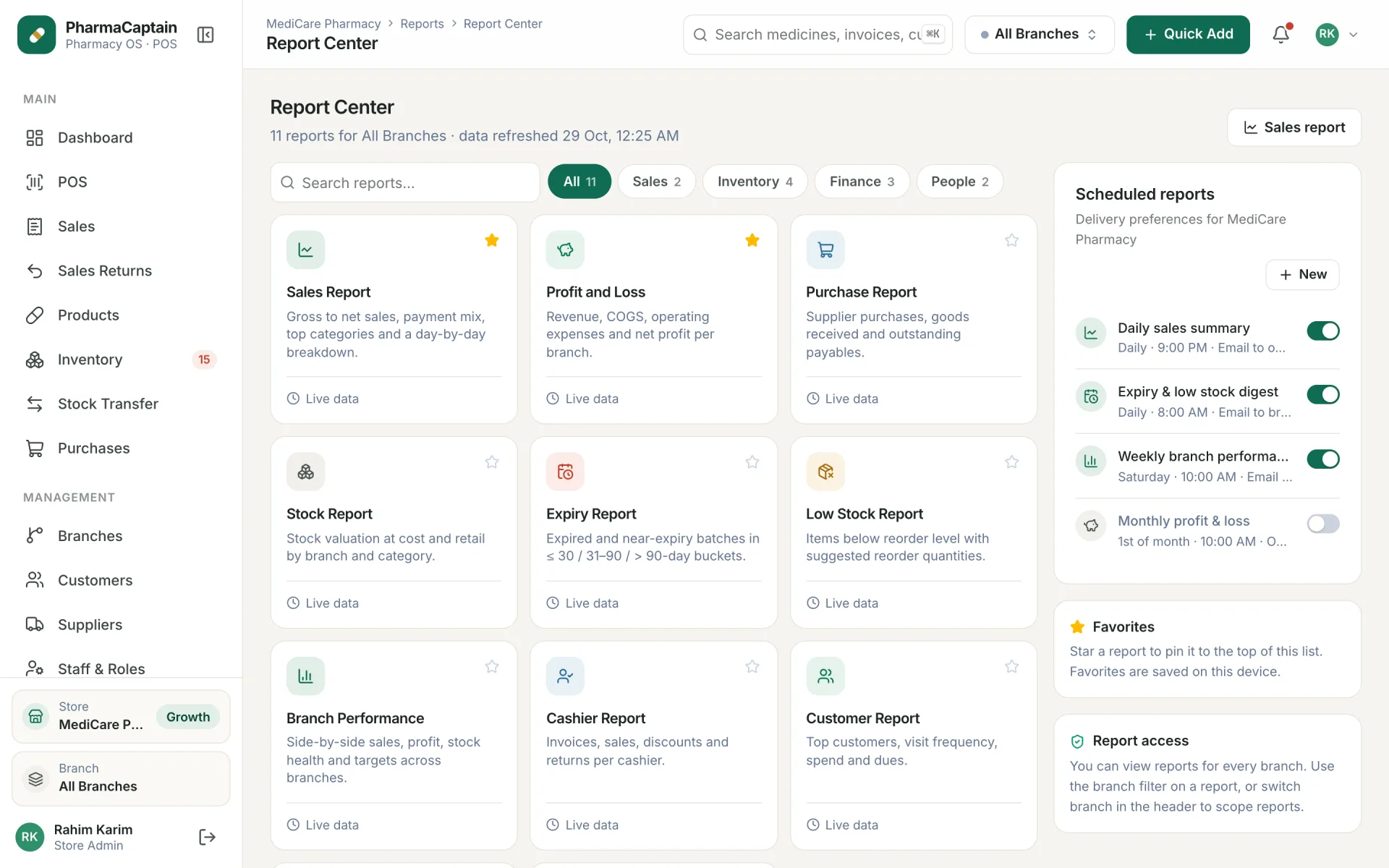
Reports with export
- Sales, stock and profit reports
- Export reports to a CSV file
Staff roles
- Pharmacist, cashier, manager and accountant roles
- Each person sees only their work
Screenshots
Real screens from our software
PharmaCaptain is coming soon
Leave your number. We will call you when it is ready and give you a demo.
Email: support@softcaptain.com
Common questions
Still have a question?
Email us or send the form. We answer in Bangla and English during support hours.
- support@softcaptain.com
- Sat to Thu, 10am to 8pm
What does FEFO mean?
First expiry, first out. When you sell a medicine, the batch that expires first is sold first. This cuts down on expired stock.
Will it warn me before medicine expires?
Yes. PharmaCaptain shows alerts for batches that are close to expiry and for items that are running low.
Can I run more than one branch?
Yes. Each branch has its own stock, and you can move stock from one branch to another.
Does it need internet?
Yes. PharmaCaptain runs in your web browser, so it needs an internet connection.
See PosCaptain with your own shop in mind
Request a free demo and we will walk you through sales, stock and dues. Have a question first? Contact us.